Annotating sequences
Manual annotation
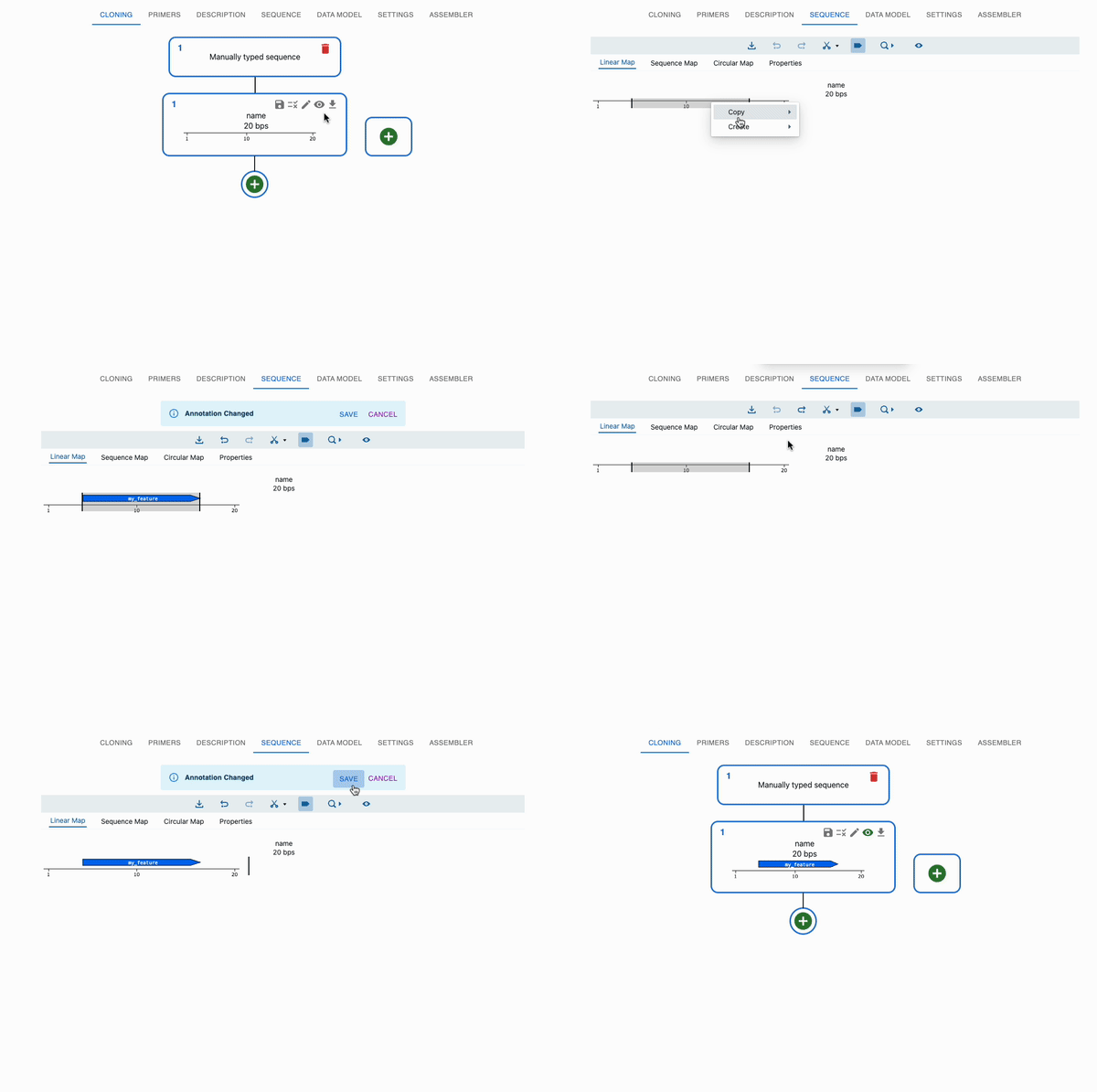
You can manually annotate a sequence in the Sequence tab.
- Open that sequence in the sequence viewer by clicking on the eye icon on the top right of the sequence in the
Cloningtab. - Select a region of the sequence, right-click and select
New Feature. - Fill in the form with the feature's name, description, and type.
- Click on
Save. - You can cancel the annotation by clicking on the
Cancelbutton, or move back and forth between the annotation by clicking o n theRedoandUndobuttons. - Once you save it, you cannot go back, but you can continue editing.
- You can also edit or delete existing features by right-clicking on them.
- If you create a primer, it will also be added to the
Primerstab, and you can use it for cloning.
Automatic annotation with pLannotate
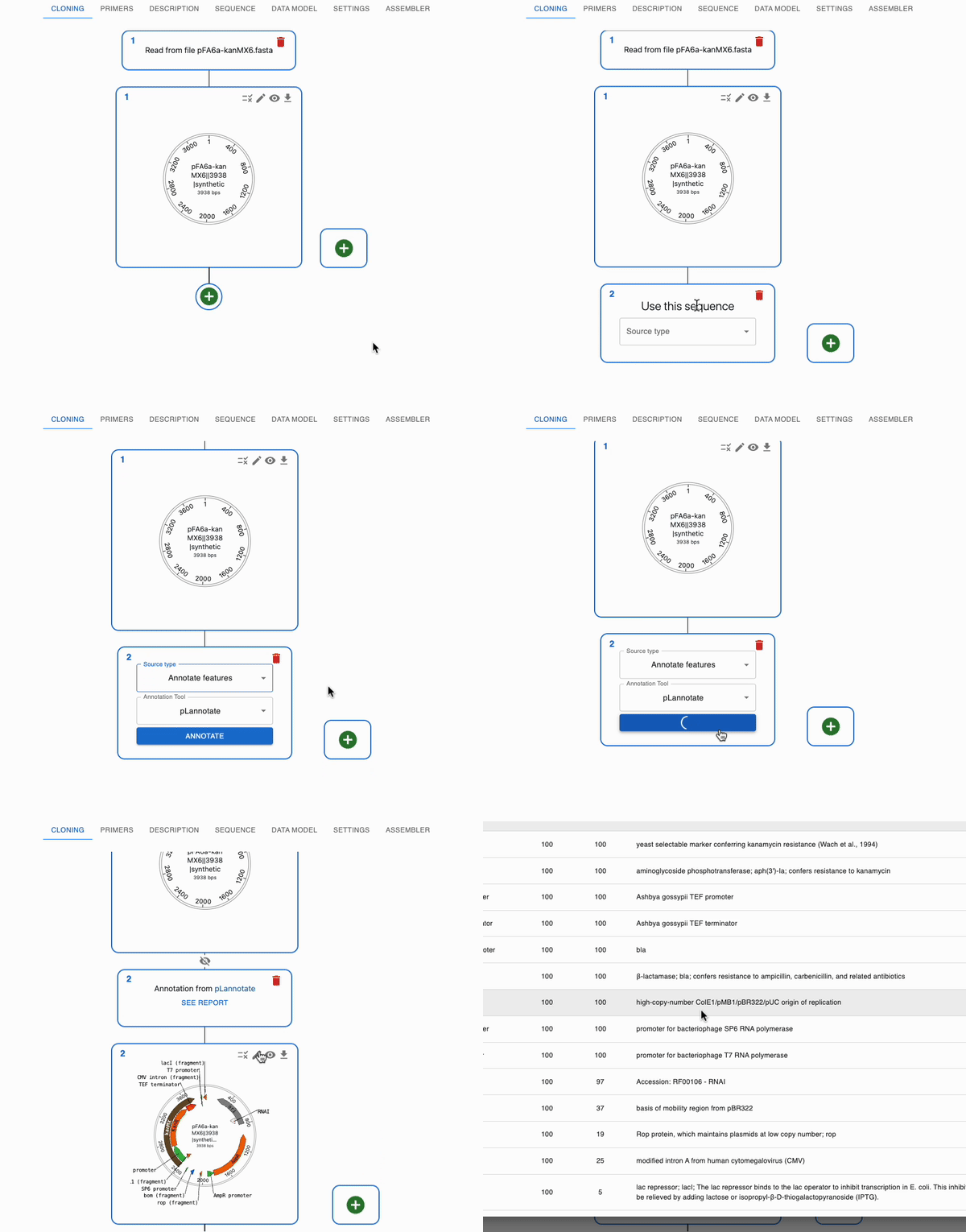
pLannotate is a tool that can automatically annotate sequences with features. It is integrated into OpenCloning, and you can use it to find features in your sequences.
- Go to the
Cloningtab and click on the plus icon below a sequence to open the form. - Select
Annotate features, thenpLannotate, then click theAnnotatebutton. - You will get the annotated sequence as a product, and you can see more info about the annotation in the
See Reportbutton (above the sequence in theCloningtab).